2026 Best Ways to Maintain Cordless Power Tools

Time:2026-09-18 Author:Liam
0%

Cordless power tools are no longer occasional workshop equipment. They are daily production assets on construction sites, in factories, and inside home garages. Industry market reports from Grand View Research and The Freedonia Group identify cordless platforms as major growth areas in the global power-tool market. That growth creates a practical question: How to maintain cordless power tools without reducing battery life, safety, or jobsite performance?

The answer begins with disciplined habits, not expensive accessories. OSHA’s Hand and Power Tools guidance recommends regular inspection, correct use, and removal of damaged equipment from service. A loose chuck, cracked housing, or frayed charger cable deserves attention before the next task. After dusty work, brush debris from ventilation openings and wipe metal surfaces with a dry cloth. Do not flood the tool with cleaner. Moisture can reach switches, contacts, and motor components.

Battery care requires equal precision. The U.S. Department of Energy’s National Blueprint for Lithium Batteries stresses safe handling, longer product life, and responsible end-of-life management. Store packs in a cool, dry place, away from direct sunlight and extreme heat. Check terminals for dirt before installation. If a battery becomes swollen, unusually hot, or physically damaged, stop using it and follow the manufacturer’s service instructions. Small details matter.

Still, maintenance advice is not perfectly universal. Some manufacturers permit deeper cleaning; others warn against it. I have seen users over-tighten chucks, ignore cooling vents, and blame the battery afterward. That assumption is often wrong. Reliable maintenance combines the owner’s manual, workplace procedures, and careful observation. Performance should be measured, not guessed.
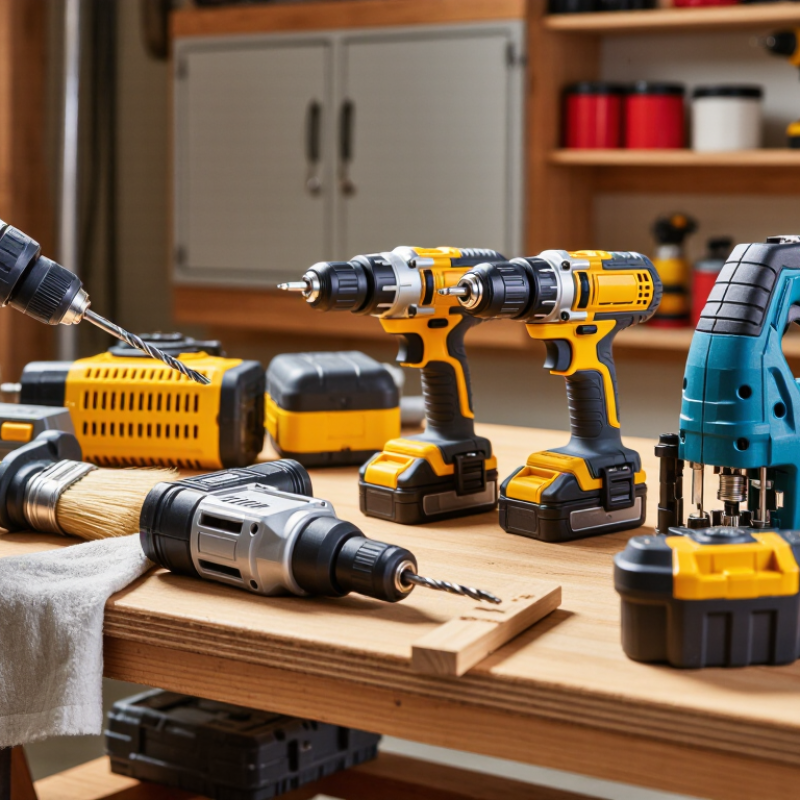
2026 Best Ways to Maintain Cordless Power Tools

Understanding Cordless Power Tool Components and Maintenance Needs

Cordless power tools rely on several connected components, and each has different maintenance needs. The battery supplies energy, while the motor converts it into motion. Gears transfer torque through the chuck, blade, or driver head. Vents release heat from the motor housing. Dust can block these openings and increase operating temperature.

I inspect the tool after dusty jobs, especially around the vents and battery contacts. A dry brush removes loose debris without pushing it deeper inside. I also check for cracked housings, loose screws, damaged cords, and unusual vibration. The battery should remain cool, dry, and away from metal objects during storage. Charging it only with the correct charger reduces avoidable risks. I used to ignore small changes in sound. That was a mistake. A grinding noise may indicate worn gears or poor alignment. However, not every noise signals failure, so careful observation matters.

Tips: Clean contacts with a dry cloth. Keep spare batteries partly charged during long storage. Do not force a dull bit or blade. Excess pressure strains the motor and drains the battery faster. Let the tool cool before another demanding task. Check filters and vents regularly. If a component feels hot, swollen, or unstable, stop using the tool and seek qualified service. A maintenance log can help, although I often forget to update mine. Even simple notes can reveal repeated overheating, short runtime, or unusual wear.

Inspecting and Cleaning Tools After Every Use

After every use, inspect a cordless power tool before storing it. This habit catches small problems before they become expensive failures. Remove the battery and let the tool cool completely. Check the housing for cracks, loose screws, or unusual gaps. Look closely at the trigger, safety switch, and adjustable guards. They should move smoothly without sticking.

Dust often hides around ventilation slots, the chuck, blade area, or sanding pad. Use a dry, soft brush to remove it gently. Wipe the exterior with a slightly damp cloth, then dry it fully. Keep moisture away from electrical openings. Never force debris into the vents with sharp objects. Compressed air may push dust deeper, so follow the tool’s instructions carefully. I once skipped this step after a rushed job. The tool worked, but its vents were nearly blocked.

Inspect the battery for swelling, cracks, leaking, or damaged contacts. Do not use a battery that looks unsafe. Clean dry contacts only when the manual permits it. Check chargers and cables for cuts or exposed wires. Store each tool in a dry place, away from direct heat and loose metal objects. Record unusual noise, burning smells, or reduced power. If a problem remains, stop testing it and consult qualified service guidance. My routine is not perfect, but writing down defects helps me notice repeated patterns.

2026 Best Ways to Maintain Cordless Power Tools - Inspecting and Cleaning Tools After Every Use
Maintenance Area What to Inspect Cleaning or Maintenance Action Recommended Frequency Warning Signs Safety Requirement
Battery Pack Check the casing, terminals, release mechanism, and charging contacts for cracks, dirt, corrosion, swelling, or heat damage. Remove the battery before cleaning. Wipe the exterior with a dry or slightly damp lint-free cloth. Keep terminals dry and free from metal debris. After every use Swelling, leaking, unusual odor, damaged casing, excessive heat, or reduced runtime. Do not use or charge a damaged battery. Never immerse a battery in water or use solvents on its terminals.
Air Vents and Cooling Path Look for sawdust, dust, fibers, or other debris blocking the motor intake and exhaust openings. Brush gently with a soft, dry brush or use low-pressure compressed air. Blow debris away from the tool rather than deeper into it. After every use Reduced airflow, hot housing, thermal shutdown, or a burning smell during normal operation. Disconnect the battery first. Avoid high-pressure air, which can force particles into bearings, seals, or electrical components.
Exterior Housing Inspect the body, handles, trigger area, guards, and adjustment levers for cracks, loose parts, or embedded debris. Wipe with a clean damp cloth and dry thoroughly. Use a soft brush around seams and controls. Do not pour cleaner directly onto the tool. After every use Cracked housing, loose fasteners, sticking controls, or damage that exposes internal parts. Do not use gasoline, harsh solvents, or abrasive cleaners because they may damage plastic and protective surfaces.
Cutting, Drilling, or Driving Accessory Check blades, bits, sockets, discs, and other accessories for wear, cracks, bending, dull edges, or deformation. Remove the accessory, brush off residue, and wipe away moisture. Sharpen, replace, or discard accessories according to their condition and intended use. After every use Excessive vibration, inaccurate cuts, slipping, overheating, chipped teeth, or unusual noise. Wear eye protection and gloves when handling sharp accessories. Never inspect or change an accessory while the battery is installed.
Chuck, Collet, or Bit Holder Check for dust, rust, smooth operation, secure clamping, and signs that the accessory is not held concentrically. Brush away debris and wipe the area dry. Apply only the lubricant specified in the tool’s operating instructions, if lubrication is required. After every use; lubricate as specified Persistent wobble, slipping, difficult adjustment, excessive play, or visible corrosion. Use the correct accessory size and tighten it properly. Keep lubricant away from the trigger, battery contacts, and electrical openings.
Trigger, Switch, and Direction Control Confirm that the trigger moves smoothly, releases correctly, and that the forward/reverse control is not obstructed. Remove surface dust with a dry brush or cloth. Do not spray liquid or penetrating oil into switches or trigger openings. After every use Sticking, delayed stopping, intermittent operation, or activation without normal trigger pressure. Stop using the tool immediately if the trigger or switch does not operate normally. Remove the battery before further inspection.
Guards, Shoes, and Depth Stops Inspect protective guards, base plates, depth stops, and adjustment locks for free movement and secure positioning. Remove dust and resin with a soft brush or cloth. Tighten only approved fasteners and keep moving parts clean and unobstructed. After every use Guard fails to return, base plate shifts, depth setting changes unexpectedly, or a locking mechanism slips. Never operate a tool with a missing, damaged, or defeated guard. Follow the operating instructions for adjustment and replacement.
Fasteners and Structural Parts Look for missing screws, loose bolts, damaged handles, cracked mounts, or movement between structural components. Clean around fasteners and tighten them only when the tool is disconnected and the instructions permit user adjustment. After every use; detailed check monthly Rattling, unusual movement, misalignment, or repeated loosening during operation. Do not disassemble electrical or gear components unless qualified to do so and authorized by the service instructions.
Moisture and Corrosion Control Check for rain exposure, condensation, wet dust, rust, or moisture around the housing, accessory mount, and battery interface. Dry the tool and battery separately with a clean cloth. Allow all parts to reach room temperature before storage or charging. After every use in damp conditions Rust spots, corrosion on contacts, electrical irregularities, or moisture trapped under the battery. Do not charge or operate a wet tool or battery. Avoid storing equipment in areas with extreme heat, freezing temperatures, or high humidity.
Storage Condition Confirm that the tool is clean, dry, switched off, and stored where it will not be crushed, dropped, or exposed to conductive debris. Remove the battery when practical, store accessories safely, and keep the tool in a dry, ventilated location away from direct sunlight. After every use Battery drains unusually fast, corrosion develops, accessories become damaged, or the tool is difficult to locate safely. Prevent battery terminals from contacting keys, screws, coins, or other metal objects. Keep tools inaccessible to children.
Functional Test Listen for abnormal noise and check vibration, speed control, braking, and accessory stability during a brief unloaded test. Run the tool only after cleaning and reinstalling the battery correctly. Stop immediately if operation is abnormal. After cleaning; before the next demanding task Grinding sounds, smoke, excessive vibration, unstable speed, delayed braking, or repeated thermal shutdown. Keep the accessory clear of people and materials during testing. Wear appropriate eye and hearing protection.
Periodic Professional Inspection Assess internal wiring, motor brushes where applicable, bearings, gear assemblies, insulation, and electronic controls. Arrange inspection or repair when routine cleaning cannot resolve a problem or when the tool has suffered impact, water entry, or overheating. At least annually for frequent use Recurring faults, electrical smell, severe sparking, intermittent power, or performance that continues to decline. Internal electrical and mechanical repairs should be performed by a qualified service professional.

Maintaining Batteries, Chargers, and Electrical Connections

Maintaining Batteries, Chargers, and Electrical Connections

Cordless tools often fail at the battery, not the motor. The U.S. Department of Energy’s Battery R&D reports identify heat, overcharging, and deep discharge as major factors in battery aging. Store batteries in a dry room, ideally between 10°C and 25°C. Avoid leaving them inside a hot vehicle. That habit matters more than many users expect.

Inspect the battery case before every shift. Swelling, cracks, leaking fluid, or unusual heat requires removal from service. Do not press a damaged pack into a charger. The charger’s contacts should remain clean and dry. A soft, lint-free cloth works well. Never scrape contacts with a metal tool. The National Fire Protection Association’s NFPA 70B maintenance guidance emphasizes inspection, cleaning, and secure electrical connections. For chargers, check the cable near the plug and housing. Small cuts can expose stress that grows during daily use.

Keep it simple.

Loose terminals create resistance and heat. Examine tool contacts for discoloration, burned spots, or movement. Compressed air may remove dust, but it can also push debris deeper. I have seen that mistake. Use short bursts and follow the tool maker’s service instructions. Charge packs on a nonflammable, stable surface, away from paper and solvents. The U.S. Consumer Product Safety Commission has repeatedly linked damaged or improperly charged lithium-ion batteries with fire hazards. Replacing a questionable charger is cheaper than testing luck. Calibration schedules also deserve review; monthly checks may be excessive for light use, but annual inspection is easy to forget.

Lubricating, Tightening, and Replacing Worn Parts

Cordless tools stay reliable when small maintenance tasks happen before performance drops. OSHA advises inspection, proper lubrication, and removing damaged tools from service. That guidance matters because Liberty Mutual’s 2024 Workplace Safety Index estimated that overexertion and bodily reaction injuries cost U.S. employers $12.7 billion in 2022. Loose fasteners and vibration can increase fatigue and awkward handling. Not dramatic, but important.

Remove the battery before cleaning or servicing. Brush dust from vents with a soft, dry brush. Apply only the lubricant specified for gears, bearings, or sliding parts. Over-lubrication attracts abrasive dust and may contaminate electronic components. Tighten housing screws, blade guards, chucks, and handle fasteners carefully. Use a torque driver when the service manual gives a setting. It is easy to assume “tight” means safe. That assumption needs checking.

Replace worn chucks, brushes, seals, switches, and damaged guards instead of forcing continued use. A slipping chuck can heat the bit and spoil a clean hole. Cracked housings deserve immediate attention. Battery packs need replacement when they swell, leak, smell unusual, or lose power suddenly. NIOSH recommends following manufacturer instructions and controlling hazards through regular equipment inspection. In practice, maintenance schedules are often too optimistic. Dust, humidity, and heavy daily use change the interval. Record the date, part replaced, and unusual noise. Small notes reveal patterns that memory misses.

Storing Cordless Power Tools Safely for Long-Term Performance

Cordless power tools last longer when their batteries are stored with care. I keep tools in a dry cabinet, away from concrete floors, heaters, and direct sunlight. Moisture can reach metal contacts and trigger corrosion. Heat is worse. The U.S. Fire Administration reports that lithium-ion battery failures can create thermal runaway, fire, and toxic gases. A warm workshop deserves attention.

Before storage, remove the battery from the tool and inspect its casing. Do not store swollen, cracked, leaking, or unusually hot batteries. Charge healthy packs to about 30–50%, unless the service manual states otherwise. The International Energy Agency’s 2024 battery outlook highlights how temperature and charging practices affect battery durability. Avoid leaving batteries connected to chargers for weeks. It is convenient, but not a good habit. I have done it myself.

Tips:

  • Use a ventilated, non-combustible shelf.
  • Keep terminals covered or separated from screws and other metal objects.
  • Mark the storage date with a small label, then check each battery every two or three months.
  • Recharge only when needed.
  • Follow the tool maker’s temperature limits, because storage guidance differs between battery chemistries.
  • The National Fire Protection Association also recommends using approved charging equipment and keeping combustible materials away. A locked cabinet may reduce accidents, but it should not trap excessive heat.

FAQS

What should I inspect after using a cordless power tool?

Remove the battery and let the tool cool completely. Check the housing for cracks, loose screws, and unusual gaps. Test the trigger, safety switch, and guards. They should move smoothly. I sometimes rush this check, which is a mistake.

How should I clean dust from a cordless tool?

Use a dry, soft brush around vents, the chuck, blade area, or sanding pad. Wipe the housing with a slightly damp cloth. Dry it fully afterward. Keep moisture away from electrical openings. Never use sharp objects inside vents.

Can compressed air safely clean every tool?

Not always. Compressed air can push dust deeper into the housing. Use short bursts only when the instructions permit it. A soft brush is often safer. I once cleaned too aggressively and probably moved dust inward.

When should a battery be removed from service?

Stop using any battery with swelling, cracks, leaking fluid, damaged contacts, or unusual heat. Do not place a damaged battery into a charger. Set it aside safely and seek qualified disposal or service guidance.

How can I maintain chargers and electrical connections?

Inspect the charger cable near the plug and housing. Look for cuts, exposed wires, discoloration, or burned spots. Keep contacts clean and dry. Use a lint-free cloth when permitted. Never scrape contacts with metal.

What charging habits help protect battery life?

Charge batteries on a stable, nonflammable surface. Keep paper, solvents, and other combustible materials away. Avoid heat, overcharging, and deep discharge. Do not leave batteries connected for weeks. Convenience can become a bad habit.

How should cordless tools be stored for several months?

Store tools in a dry, ventilated cabinet away from heaters and direct sunlight. Keep batteries off concrete floors. Healthy batteries usually store well at about 30–50% charge. Follow the specific temperature guidance for each battery type.

How often should stored batteries be checked?

Mark the storage date on a small label. Inspect each battery every two or three months. Check for swelling, cracks, leaks, and heat. Recharge only when needed. I may miss a check occasionally, so reminders help.

Conclusion

How to maintain cordless power tools begins with understanding the main components, including the motor, housing, battery, charger, switches, and moving parts. After every use, remove dust, chips, and debris from vents and surfaces, then inspect the tool for cracks, loose fasteners, overheating, or unusual sounds. Clean electrical contacts carefully and keep connections dry to support safe, reliable operation.

Proper battery and charger care is equally important. Charge batteries with the correct equipment, avoid extreme heat or moisture, and store them at a suitable partial charge when they will not be used for an extended period. Apply the appropriate lubricant to moving parts, tighten loose screws, and replace damaged or worn components promptly. Finally, store tools in a clean, dry, protected location away from direct sunlight and harsh conditions. Consistent inspection, cleaning, maintenance, and storage can extend tool life, preserve performance, and reduce avoidable failures.

Liam

Liam

Liam is a dedicated marketing professional with a profound expertise in the industry, where he excels at highlighting the unique advantages of our core products. With a keen understanding of market trends and consumer needs, Liam frequently updates our company’s professional blog, providing......